A white-background product photo can look simple, but the cutout work behind it often decides whether the final image feels premium or quickly edited. When comparing clipping paths versus masking, the right choice comes down to the product’s edges, materials, and where the image will be used. A clean hard-edge cutout may be perfect for an Amazon listing, while a soft, detailed mask is often necessary for apparel, fur, glass, or any product with fine transparency.
For ecommerce brands, this is not just a technical post-production decision. It affects how accurately a product is presented, how easily images can be repurposed, and how polished a listing looks beside competing products.
What Is a Clipping Path?
A clipping path is a precise vector outline created around a product in image-editing software. The path acts like a clean boundary: everything inside remains visible, while everything outside can be removed, replaced, or placed on a different background.
This method works best when a product has defined, solid edges. Think of a watch, bottle, boxed item, phone case, book, kitchen tool, or pair of sunglasses. A skilled retoucher can trace these contours closely and create a sharp separation between the product and its original background.
Clipping paths are especially useful for high-volume commercial workflows because they are efficient, consistent, and easy to revise. If a catalog needs the same product placed on white, light gray, and a branded color background, the path provides a dependable selection that can be reused.
The result should not look cut out. It should look intentional. Clean edges, natural shape, and accurate product proportions matter more than simply removing a background.
Where clipping paths perform well
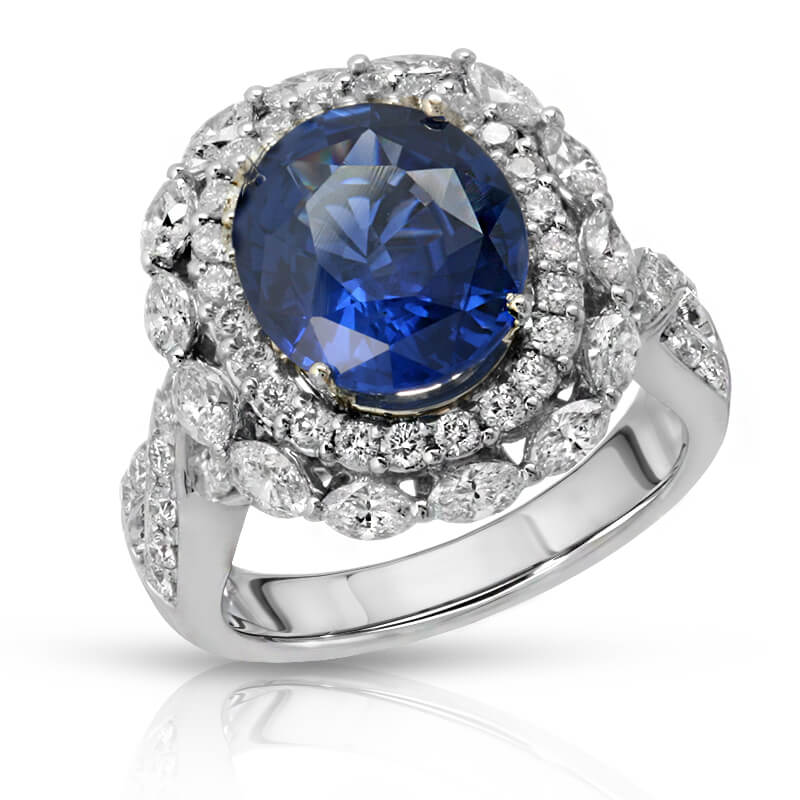
For products with hard, recognizable contours, clipping paths offer excellent control. Jewelry with a clear metal outline, cosmetics in rigid packaging, electronics, home goods, office supplies, toys, and retail packaging are common examples.
They are also a strong choice when a marketplace requires a pure white background. Amazon main images, for example, need the product to stand out clearly against white without stray pixels, uneven edges, or visible remnants of the original set. A precise clipping path helps create that polished, compliant presentation.
There are limits. A path follows an edge, but it does not naturally handle detail that is partially transparent, wispy, or porous. Trying to force a clipping path around a feathered garment, a sheer fabric panel, or fine hair can create a harsh, artificial result.
What Is Image Masking?
Image masking removes or hides a background by using pixels rather than a simple vector outline. It allows a retoucher to preserve partial transparency, soft transitions, and tiny details that a clipping path cannot accurately follow.
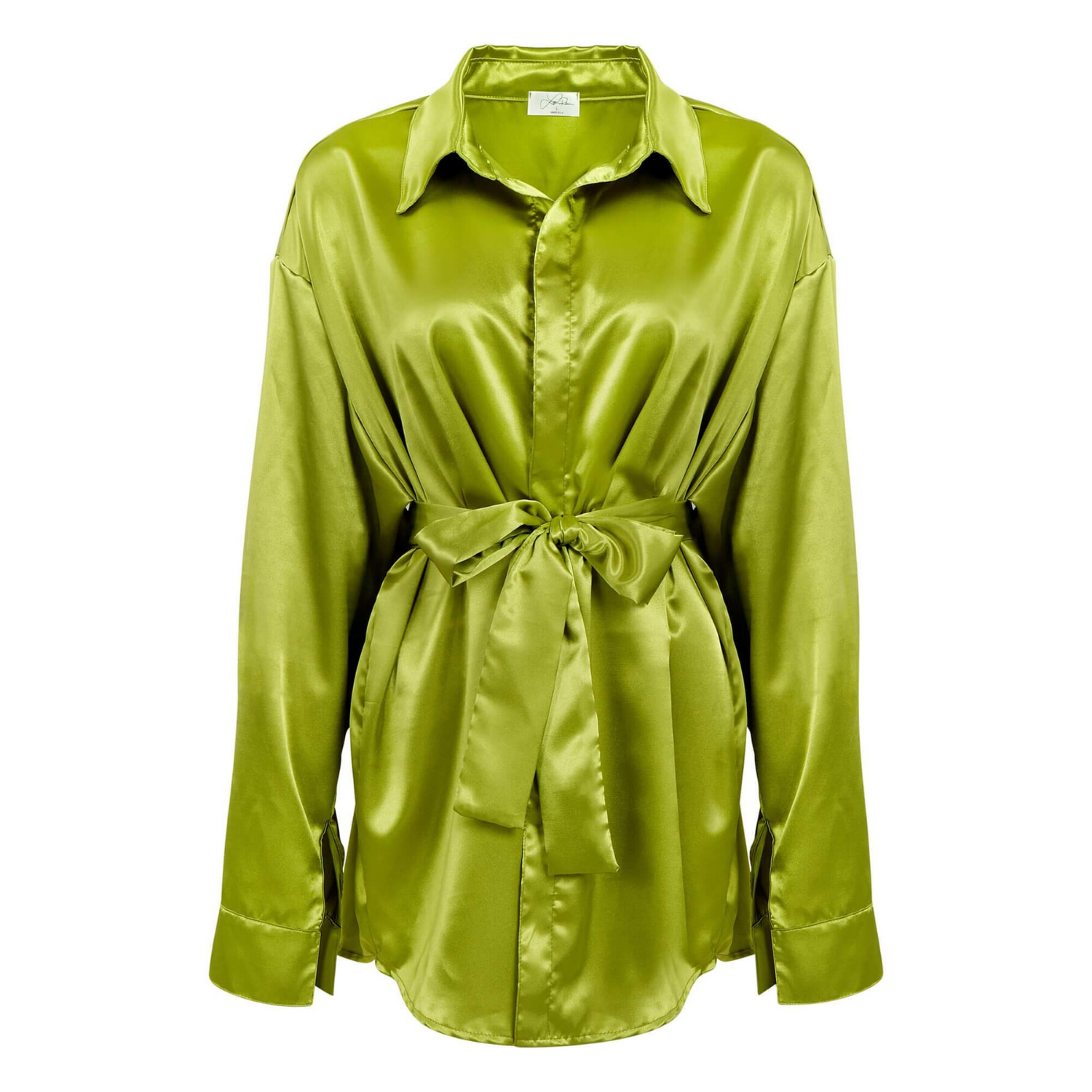
Masking is the better solution when the edge is not truly solid. Apparel is the most familiar example. Hair, fringe, faux fur, lace, mesh, knit textures, feathers, and soft fabric fibers often require masking so they retain their natural appearance after the background changes.
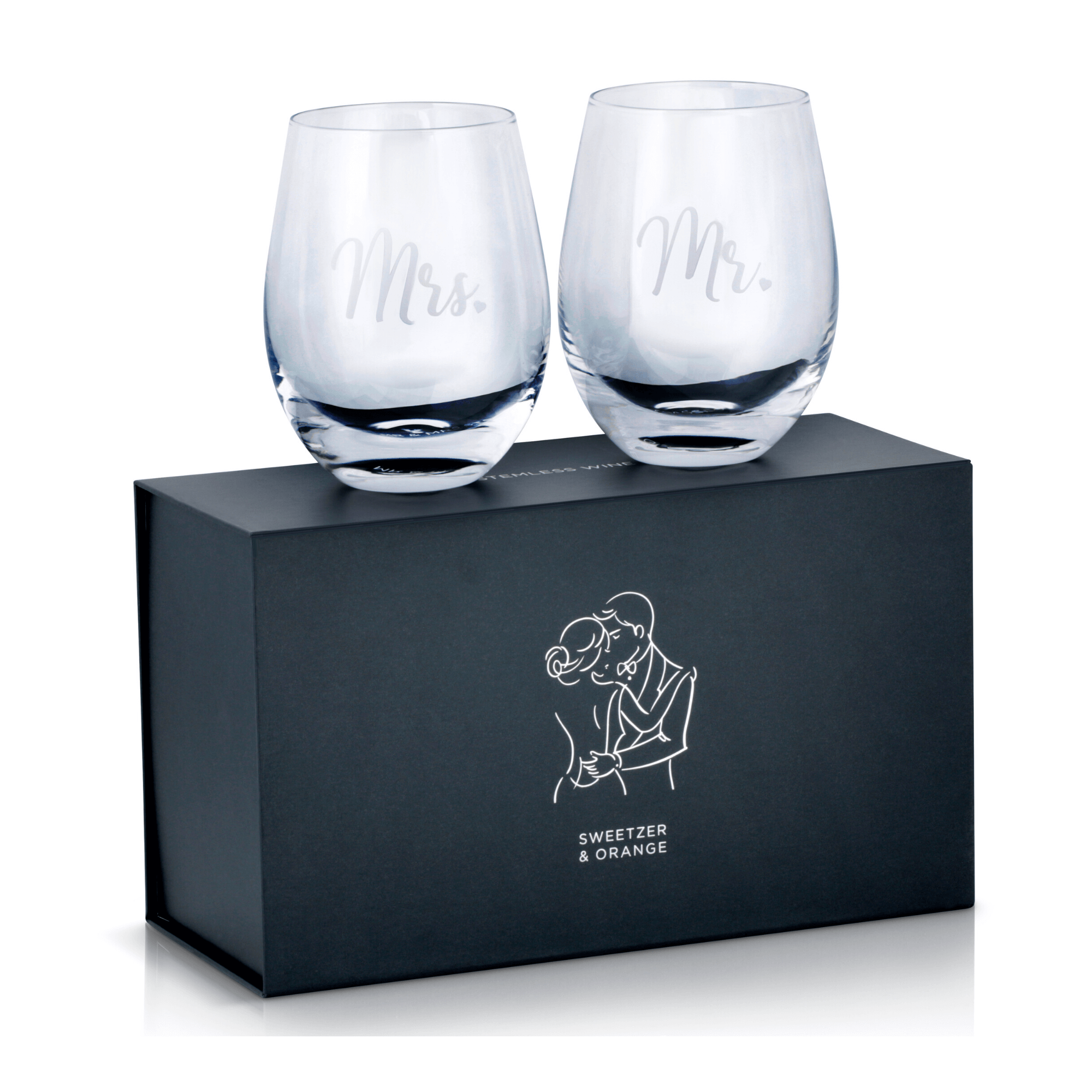
It is also valuable for glassware, beverages, translucent packaging, gemstones, and reflective products. A clear perfume bottle may need its transparent body, reflections, label edges, and internal liquid to remain believable against a new background. A basic path may isolate the bottle shape, but masking and detailed retouching preserve what makes the object look real.
The value of a natural edge
A good mask does more than erase a background. It controls the transition between subject and background so the product does not develop a visible halo, clipped highlights, or muddy edge detail.
That matters when customers are evaluating quality from a screen. In beauty, fashion, jewelry, and premium consumer goods, an unnatural cutout can make a product feel less valuable. The opposite is also true: a clean, accurate image supports confidence, helps shoppers inspect details, and strengthens the overall brand presentation.
Masking usually takes more time than creating a basic clipping path. The added labor is worthwhile when the product requires it, but it is not automatically the best option for every image. Using complex masking on a simple rectangular product can add cost without improving the final result.
Clipping Paths Versus Masking: Key Differences
The main difference between clipping paths versus masking is edge complexity. A clipping path creates a clean, hard-edged selection using an editable vector shape. A mask uses tonal and pixel information to preserve soft, transparent, irregular, or semi-transparent areas.
Clipping paths are generally faster for simple products and give a crisp, repeatable outline. They are ideal for bulk ecommerce image production where many products need consistent white backgrounds, shadow adjustments, or alternate backdrops.
Masking offers more realism for difficult materials and detailed contours. It handles subjects that need subtle transitions rather than a hard line. That flexibility makes it essential for products such as clothing, glass, fur-trimmed accessories, and anything photographed with visible transparency.
In professional product photography, the strongest workflow is often a combination of both. A retoucher may use a clipping path around the solid body of a product, then apply masking only to challenging areas. For example, a handbag may have a path around its leather body but masking around a tassel, loose thread, or sheer material. This approach delivers accuracy without spending unnecessary time on parts of the image that do not need pixel-level treatment.
How to Choose the Right Method for Your Products
Start by looking at the product edge, not just the product category. A rigid lipstick tube and a textured knit sweater may both be sold by a beauty or apparel brand, but they demand very different post-production methods.
Choose a clipping path when the item has clean, solid boundaries and needs a precise, consistent cutout. It is a practical fit for bottles, boxes, electronics, watches, tools, books, and many accessories. It also works well when you need to create multiple versions of the same image for product pages, marketplaces, print catalogs, or promotional graphics.
Choose masking when the product includes soft, detailed, transparent, or irregular edges. Apparel, especially garments with lace, fringe, fur, or sheer panels, should be evaluated carefully. Glassware, clear bottles, jewelry with fine chain details, and products photographed with visible reflections may also need masking to avoid a flat or poorly isolated look.
Background choice matters as well. If the final image stays on white, a simple product may only need a clean path and careful edge refinement. If it will be placed over dark colors, lifestyle scenes, or textured campaign backgrounds, any weaknesses become more noticeable. Fine details that disappear on white may show up immediately against a contrasting background.
Why Cutout Quality Affects Sales
Online shoppers cannot pick up your product, check its texture, or inspect its finish in person. Product images have to perform that work. The cutout should support the product, not distract from it.
Poor background removal creates problems that customers may not describe but still notice: jagged edges, white halos, missing details, uneven transparency, or shadows that look disconnected from the item. These issues can make an otherwise strong product photograph feel low quality.
Professional retouching keeps colors accurate, preserves material detail, and creates a consistent image standard across a collection. That consistency is particularly valuable when a customer compares several products on a category page or scrolls through a marketplace search result. Clear, polished images help products look credible at a glance and give shoppers a better reason to click.
For brands producing large volumes of listings, consistency also saves time. When photography and post-production follow a reliable process, new products can be prepared faster without sacrificing the appearance customers expect from your brand.
Work With the Image, Not a One-Size-Fits-All Rule
Clipping paths and masking are not competing services where one always wins. They are different tools for different visual problems. The right method depends on the object, the desired background, the sales channel, and the level of detail your customer needs to see.
At Product Photography Studio, product images are evaluated based on the material, edge detail, and intended use before retouching begins. That helps brands receive clean ecommerce-ready files without paying for unnecessary complexity or settling for cutouts that weaken the product presentation.
The best final image is the one that makes the product look accurate, appealing, and ready to sell. If a hard-edge path achieves that result, keep the process efficient. If fine masking is needed to preserve the product’s real character, it is worth the extra attention.