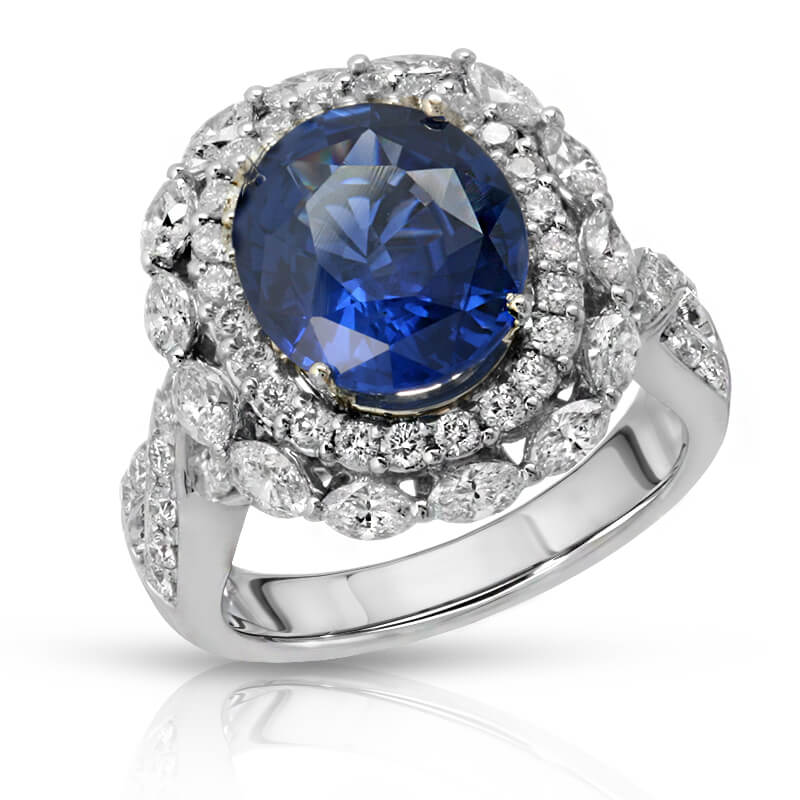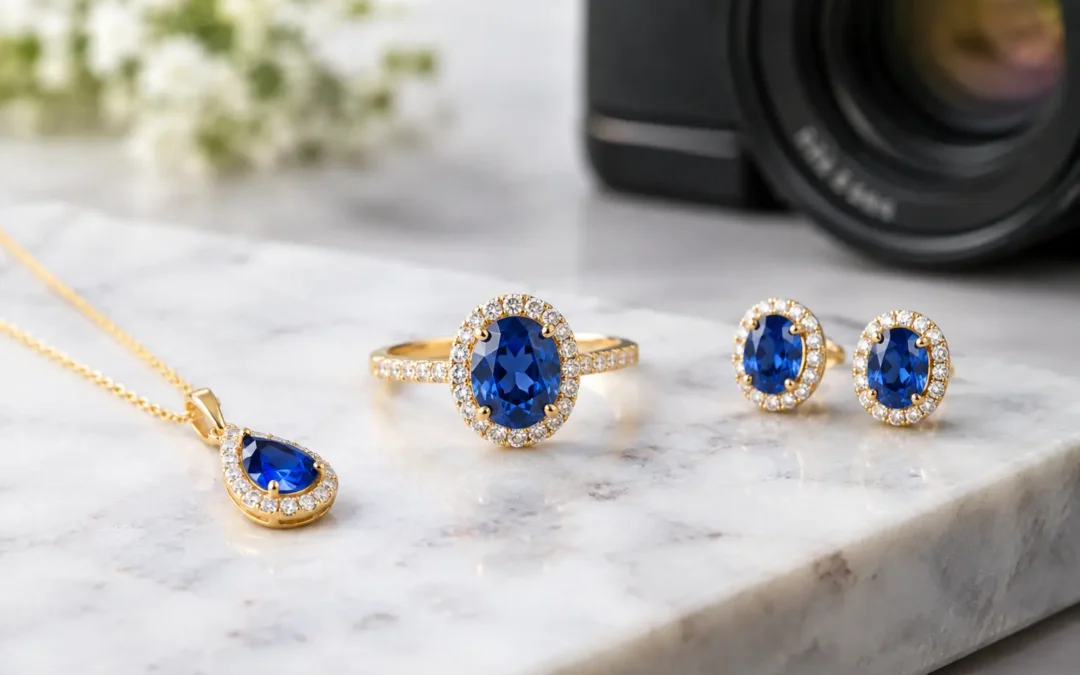
A sapphire that looks black, an opal that loses its fire, or a diamond ring covered in reflected studio equipment can make a valuable product look ordinary. Knowing how to photograph gemstone jewelry is less about making every stone sparkle at maximum intensity and more about showing its true color, cut, clarity, and setting in a way shoppers can trust.
For ecommerce brands and jewelry sellers, that distinction affects more than aesthetics. Buyers use product images to judge quality, compare options, and decide whether a piece is worth its price. The right lighting and retouching create a polished listing without promising a look the customer will not receive.
How to Photograph Gemstone Jewelry With Accurate Color
Gemstones are not photographed like matte products. Their appearance changes with the light source, viewing angle, cut, polish, and even the color of nearby surfaces. A ruby may appear deep red under one light and overly pink under another. Emeralds can turn dark quickly. Faceted stones can produce sharp highlights that hide the very details a buyer wants to inspect.
Start by cleaning the jewelry thoroughly. Dust, fingerprints, polishing residue, and loose fibers are magnified in high-resolution product photography. Use clean handling tools and inspect the piece under bright light before it reaches the set. Retouching can remove minor distractions, but beginning with a clean product saves time and produces a more natural final image.
Color accuracy begins with consistent, color-balanced lighting. Daylight-balanced studio lights are commonly used because they provide a neutral foundation, but the setting matters as much as the equipment. Set a custom white balance and photograph a color reference when accurate gemstone and metal color are essential. This gives the retoucher a reliable benchmark instead of relying on a monitor’s interpretation.
Avoid using a single hard light directly above the jewelry. It often creates blown-out facets, harsh shadows, and dark areas inside the stone. A larger diffused light source produces a smoother overall exposure. Then, add controlled directional light only where it helps reveal the gem’s cut, texture, or color variation.
The goal is not to eliminate every reflection. A gemstone needs selective highlights to look dimensional and polished. The goal is to place those highlights where they describe the shape of the stone rather than obscure it.
Build a Set That Controls Reflections
Jewelry photography is largely reflection management. Highly polished gold, silver, platinum, and faceted gemstones act like tiny mirrors, showing everything around them. The camera, lights, room, and photographer can all appear in the product if the set is not controlled.
Use a clean white, light gray, or black background based on the selling channel and brand style. White works well for marketplaces and catalog-ready ecommerce images because it keeps attention on the piece and supports a consistent product grid. Gray can provide subtle separation for white metals and pale gemstones. Black can make certain stones and diamonds look dramatic, but it requires more careful lighting and may not meet marketplace image requirements.
Place white cards, black cards, or flags near the jewelry to shape reflections. White cards brighten dark metal edges and add clean reflections. Black cards create definition by adding controlled dark lines along polished surfaces. Small adjustments make a major difference, especially on rings, pendants, and watch-like jewelry with curved metal components.
A light tent can be useful for consistent, softer reflections, particularly when photographing a large volume of simple pieces. Its trade-off is that images can become flat if every surface is lit evenly. For higher-value gemstone jewelry, a more flexible tabletop setup usually gives better control over the stone’s personality and the metal’s contours.
Choose Angles That Sell the Piece Clearly
A beautiful hero image should show the piece quickly and make the gemstone the visual priority. For a ring, this often means a slightly elevated front angle that reveals the center stone, prongs, band, and profile in one frame. For earrings, make sure the pair is balanced while retaining enough depth to show the setting. For pendants, photograph the pendant straight on, then add an angle that reveals thickness and the bail.
Do not rely on one image to answer every buyer question. A commercially effective jewelry image set normally includes a front-facing hero image, a detail image of the gemstone or setting, a side or profile view, and an image that communicates scale when appropriate. The exact number depends on the product, the marketplace, and the brand’s visual standards.
For stones with notable inclusions, natural variation, or color zoning, show the product honestly. Over-editing away every characteristic may create an attractive thumbnail, but it can also lead to customer disappointment and returns. Premium presentation should improve clarity, not rewrite the product.
Use a Camera Setup Built for Small Details
A macro lens or dedicated close-focusing lens is the most reliable way to capture gemstone facets, prongs, engraving, and fine metal texture. A standard lens can work for wider styled images, but it often cannot provide the crisp close detail needed for product pages, catalogs, or print.
Use a tripod or copy stand. At close working distances, even minor camera movement softens the image. A stable setup lets you use lower ISO settings for cleaner files and slower shutter speeds when needed. A tethered workflow can also help because checking sharpness on a larger screen is far more dependable than judging it on a camera display.
Depth of field is a common challenge. At macro distances, a wide aperture may leave only a narrow strip of the ring or gemstone in focus. Stopping down helps, but very small apertures can reduce sharpness due to diffraction. For detailed product images, focus stacking may be the best solution. It combines multiple frames focused at different points into one image with more of the jewelry rendered sharply.
Focus stacking is especially useful for rings photographed at an angle, elaborate halo settings, gemstone clusters, and pieces with both raised stones and textured bands. It requires careful capture and retouching, but the result can look significantly more refined than a single shallow-depth image.
Photograph Different Gemstones Differently
There is no one-lighting formula for every stone. Diamonds need contrast and precisely placed specular highlights to show brilliance. Too much diffusion can make them appear gray or lifeless. Colored faceted stones often need soft, even light first, with a small amount of directional light to bring out facet definition without washing out their body color.
Cabochons, pearls, moonstones, and opals need another approach. Their appeal comes from smooth surface reflections, luster, and internal color effects rather than sharp facet flashes. Broad, soft lighting often works best, but the angle must be adjusted carefully to reveal phenomena such as opalescence, adularescence, or chatoyancy.
Opaque stones such as turquoise, lapis, and malachite benefit from lighting that reveals surface pattern and saturation without producing glare. Natural texture is part of the product story, so avoid smoothing it away through excessive retouching.
Retouch for Trust, Not Fiction
Professional post-production is where a good capture becomes ecommerce-ready. It can remove dust, scratches caused by handling, stray reflections, background inconsistencies, and small distractions around prongs or chain links. It also ensures images across a collection match in brightness, crop, and color balance.
Retouching should not change the gemstone into a different product. Avoid unrealistic saturation, invented sparkle, altered stone size, or removing characteristics that materially affect what the buyer receives. Color can also shift during export, so review final files in the color space required by the intended sales channel.
Consistency matters when a customer scrolls through dozens of products. Matching camera angle, shadow direction, crop style, background treatment, and apparent scale helps a collection look intentional. It also makes product comparisons easier, which supports faster purchase decisions.
Know When Professional Jewelry Photography Pays Off
DIY photography can be practical for quick social content, early samples, or low-risk inventory. It becomes more difficult when you need accurate gemstone color, consistent images across hundreds of SKUs, high-resolution files for print, or a polished visual standard for Amazon and ecommerce listings.
Professional Product Photography Studio works with detail-focused jewelry imagery designed for product pages, catalogs, and marketplace requirements. A controlled studio workflow reduces the trial and error of reflective surfaces, close-focus capture, and extensive retouching while giving brands reliable files they can use across sales channels.
Before your next jewelry launch, compare your product photos at thumbnail size and at full zoom. If the stone looks dull, the metal loses its shape, or the color changes from image to image, the issue is usually not the jewelry. It is the lighting, reflection control, and finishing behind the image.